Need some painting help please!
 Posted: July 18th, 2016, 12:23 am
Ok, so I am trying to start painting so I can hopefully participate in the exchange this year. However, I am running into a problem and I hope someone can give me some advice. I'll outline my steps so you know what I've done. First, I gave the minis a bath in Simple Green then rinsed them and let them dry. I then used the Citadel black primer. After that, I gave most of the orc a few layers of green base coat to cover the primer. I was going to try to paint the Orc's tunic yellow, but even after several layers, I could see the green base coat on most of the tunic. A former co-worker of mine said yellow is a pain to work with and that you need to start with something other than yellow (like orange or light brown) then use several layers of yellow on top of it. So I figured I'd switch colors so I can at least see the tunic done. However, even using orange, the paint fills in the valleys of the tunic leaving the base coat of green showing through on the ridges. I've got about 8 or 9 layers of paint on this thing and it still won't cover the ridges. I tried not thinning the paint so much on another mini, but the paint seems to stick to the valleys so thick that I lose some detail, and yet it still won't cover the ridges. Any ideas what I'm doing wrong? I am using an Army Painter starter kit for the paints. Also, this mini is getting another Simple Green bath so I can start over once I get this figured out, so no this is not what the final piece will look like. I just want to get this issue resolved before I paint another piece.
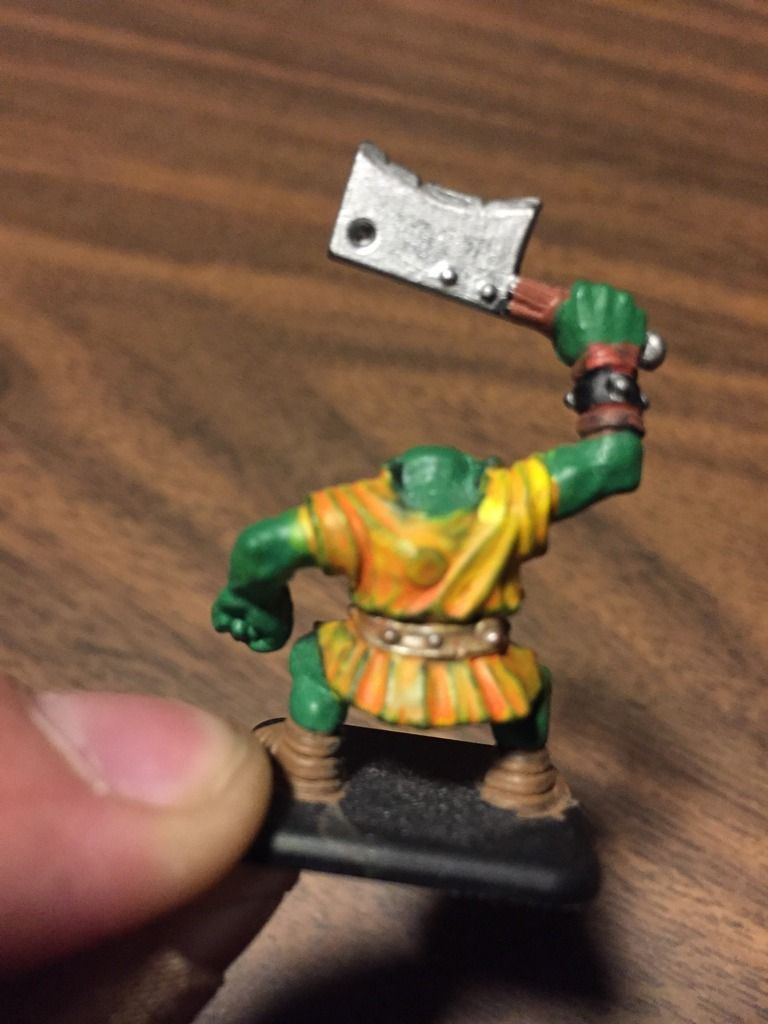
Another issue I'm having is with the skull on the Orc's belt. If I thin the paint, the paint runs off the skull an on to the belt. If I don't thin the paint much, the paint fills in the details on the skull leaving me with a color glob and no details. I'm guessing the problems I'm having are related but if not, I'm hoping someone can help with this one too.
Another issue I'm having is with the skull on the Orc's belt. If I thin the paint, the paint runs off the skull an on to the belt. If I don't thin the paint much, the paint fills in the details on the skull leaving me with a color glob and no details. I'm guessing the problems I'm having are related but if not, I'm hoping someone can help with this one too.