Page 1 of 8

HQ Quest Maker

PostPosted: September 16th, 2012, 3:40 pm
by Patroclus
This is the thread for a program to write quests for HQ, called the HQ Quest Maker. Where you just fill the text boxes and it exports an image that looks like the original. I hope after that, many people will share their quest in this format so all the other could print them and add them in our collection. Also for the map you should use HeroScribe program, to export the map and load it on the HQ Quest Maker.

(Maybe we could do a contest and drathe could take the best ten quests and make them a printable booklet for us.)

But the editor has some functions and some rules to follow:
1. Each paragraph should start with the character “<”
2. Each paragraph with a letter mark should start like this “<A.>”
3. If you want to add a special enemy you should write “<Stats>8/5/4/3/2” where the first number is the movement, the second is the Attack, the third is the Defend, the forth is the Body, and the last number is the Mind.
4. If you want to add a body point counter you should write “<Body>text/0000101” where the “0” is the empty square and the “1” is the skull.

I hope this is not too difficult to understand… take a look at the output on following example.

The link: https://www.dropbox.com/s/sy094zfcwe2yn0d/HQ%20Quest%20Maker.zip

ps: The program saves the project file as an ini, so maybe some of you want to write your quest in a notepad first and load it after... The format should look like this:
[Quest Number]
1

[Quest Title]
The Ancient Spirit

[Narrative]
Long ago, a mystic cult has build a tample to worship their God. Many secrets are keeped well inside the heart of their lair. Now you, my heroes, have to go there and take all that is left. Who knows? Books of ancient wisdom? Or maybe treasures unseen for long- long time.

[Notes]
<Body>OGRE BODY POINTS: /001
<A.>One of the Goblins should run away and make one of the heroes to fall in the pit.
<B.>This room has one Yeti but it can't reach the heroes.
<C.>The bookcase has a Tome of Magic in an unknown language.
<D.>On the tomb there is a red beutiful gem of 100GC. If you take it, an earthquake shook the ground and a boulder falls in the Yetis room, filling the gap. The Yeti will hunt you down to kill you. A scout appears and to tell you that you should run to the room E and there are reinforcements.
<E.>There is a friendly group of adventurers who can help you with the Yeti. They have come for a secret mission and cannot say much. If you make the last hit to Yeti you will find one potion of healing in this room.
<YETI:
<Stats>8/4/3/5/2

[Wandering Monster]
Skeleton

[Icon Name]
Skeleton_US.png


The output is:
Image

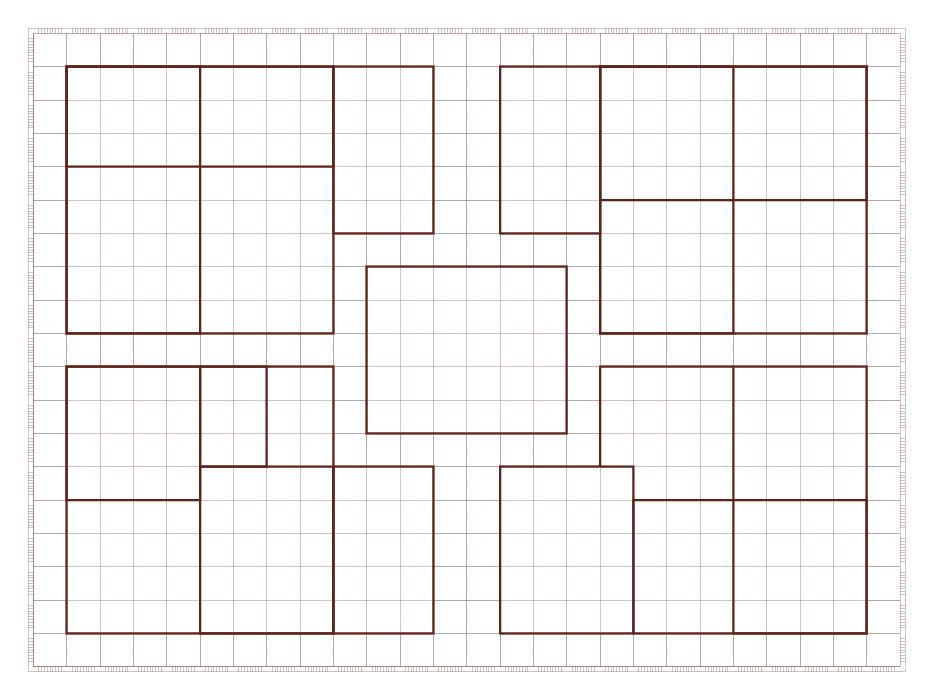
Overwrite the HeroScribe’s map with this one if you want to have the brown grids. The path is “C:\Program Files\HeroScribe\Icons\Raster\USA\Board_US.png”
Image

Re: HQ Quest Maker

PostPosted: September 16th, 2012, 3:58 pm
by Maike05
This looks very promising ! When will it be available ?

Like the card text project, it will greatly help us translating quests into other languages, and we will be able to share them more easily. Like it !

Re: HQ Quest Maker

PostPosted: September 16th, 2012, 4:17 pm
by Daedalus
This is great! I've been wanting Quest formatting ever since I learned Heroscribe doesn't do this. Together, the two make a complete package. I wouldn't worry about the rules of use...they seem easy enough to implement.

As a NA HQ player, I'm happy you chose to stat special monsters the way you did. If I may make a suggestion, reduce the point size on the stat text and bold it to compensate. The purpose would be to make the second margin, both stats and other text, left-justify evenly.

I'd also add to the wish list a green icon choice for the wandering monster, as found in the NA Quest Books.

Regardless if you trouble with my suggestions, I still want to use this. Bravo. |_P |_P

Re: HQ Quest Maker

PostPosted: September 17th, 2012, 1:17 pm
by Patroclus
Thnx for your suggestions Daedalus

About the stats I couldn’t find the right fonts. But I’ve fix it by making a png image from the original.

For the justification, it is left justified. It looks like it is not because the paragraph has a B letter mark which pushes the text right. Take a look at the picture bellow to understand what I am saying.

About the image of the wandering monster, I didn’t put an option because only for this image I should carry all the images of HeroScribe. I could place a function to take the application folder of HeroScribe and use the images from there, but the bad is that the format of HeroScribe’s images is “eps” and I can’t find a way to read them. It is an issue I should solve somehow.

The worst thing I’ve noticed is that the area for the notes of the quest is very small! Usually we write many details, or create many special rooms for our quests, and now most of them will not fit in only one page. Of course possibly this is one of the reasons we like HeroQuest, because it has not a lot of reading, but maybe I will have to make an option for more pages in future releases.

Image

Re: HQ Quest Maker

PostPosted: September 18th, 2012, 2:30 am
by Daedalus
Good point about the limited text space. Maybe you could create a fold-out page (or pages) that is still part of a booklet size, but also extends below the Notes area.

Could you create your own monster icons using the scans of the Quest Book? I really don't know how much harder this would be for you, just tossing it out there.

After this is a finished project, I feel it belongs in the Design and Game Tools section referenced from the Homepage.

Re: HQ Quest Maker

PostPosted: September 18th, 2012, 4:38 am
by Big Bene
Hi!

eps is a standard format and there are lots of progs that can read it. I'd recommend Adobe Illustrator, but a very useful freeware solution is Inkscape (just google it). Which format would you need for your Quest maker? I already have converted all the icons from Heroscribe into wmf format for my Word template - just follow the link in my signature.

Re: HQ Quest Maker

PostPosted: September 21st, 2012, 5:33 pm
by Patroclus
I use jpg, png and gifs, but I prefer the png format because it’s uncompressed. I can’t support eps but thanks god I’ve noticed there is the “HeroScribe\Icons\Raster” path where are all the icons in png format, so it’s done.

The only problem now, is that the HeroScribe has grey squares for the non usable areas, which is not like the original as shown in the picture bellow. Also, the grid is black while the grid of the original is brown. I am trying to find a solution for that.
Image

Re: HQ Quest Maker

PostPosted: September 22nd, 2012, 1:18 pm
by drathe
Patroclus wrote:The worst thing I’ve noticed is that the area for the notes of the quest is very small!

Part of this problem may be due to the size of the page. The pages of the American Quest Books are not in any standard size. They are 230mm x 306mm approximately.

Patroclus wrote:The only problem now, is that the HeroScribe has grey squares for the non usable areas, which is not like the original as shown in the picture bellow. Also, the grid is black while the grid of the original is brown. I am trying to find a solution for that.

I'm comfortable using the HeroScribe maps as they are. If you would like them to be as authentic as possible, a new board could be created for use in HeroScribe. As the board is basically the same and only a few colours are changed, it shouldn't be too difficult to create. We just need to find the right RBG or Hex codes for the colours and convert them. I'll try to work on this in the coming week.

Re: HQ Quest Maker

PostPosted: September 23rd, 2012, 4:04 am
by Sjeng
awesome job man! Any chance of geting the European A4 page size with the European quest text box as well? :P

Re: HQ Quest Maker

PostPosted: September 24th, 2012, 2:40 pm
by Patroclus
drathe wrote:Part of this problem may be due to the size of the page. The pages of the American Quest Books are not in any standard size. They are 230mm x 306mm approximately.

I don’t want to change the proportions (if that’s the word…) for the map, the label of title and the text area. So, even if I will change the dimensions I won’t gain more space. But I could put an option to reduce the size of the texts if there are complains in future versions.

drathe wrote:I'm comfortable using the HeroScribe maps as they are. If you would like them to be as authentic as possible, a new board could be created for use in HeroScribe. As the board is basically the same and only a few colours are changed, it shouldn't be too difficult to create. We just need to find the right RBG or Hex codes for the colours and convert them. I'll try to work on this in the coming week.

About the grey squares I could convert it programmatically, changing the grey color with a picture I want. The bad is that I’ve searched a lot to find how to do this with no luck, so I’ve done it by myself in a paradox way that I don’t like much, and I can’t guarantee that it won’t bug. If we can’t find a better solution, I could try to make it better, but let it as the final solution.

Sjeng wrote:awesome job man! Any chance of geting the European A4 page size with the European quest text box as well? :P

Thanks Sjeng, me too, I have the European version of HQ and for example I prefer the European cards because they are small and I like the black border. But for the booklets the American version is more interesting. So I had to choose one and I choose the American. It’s not too difficult to add the European, but it needs time and for now it is low on my priority.